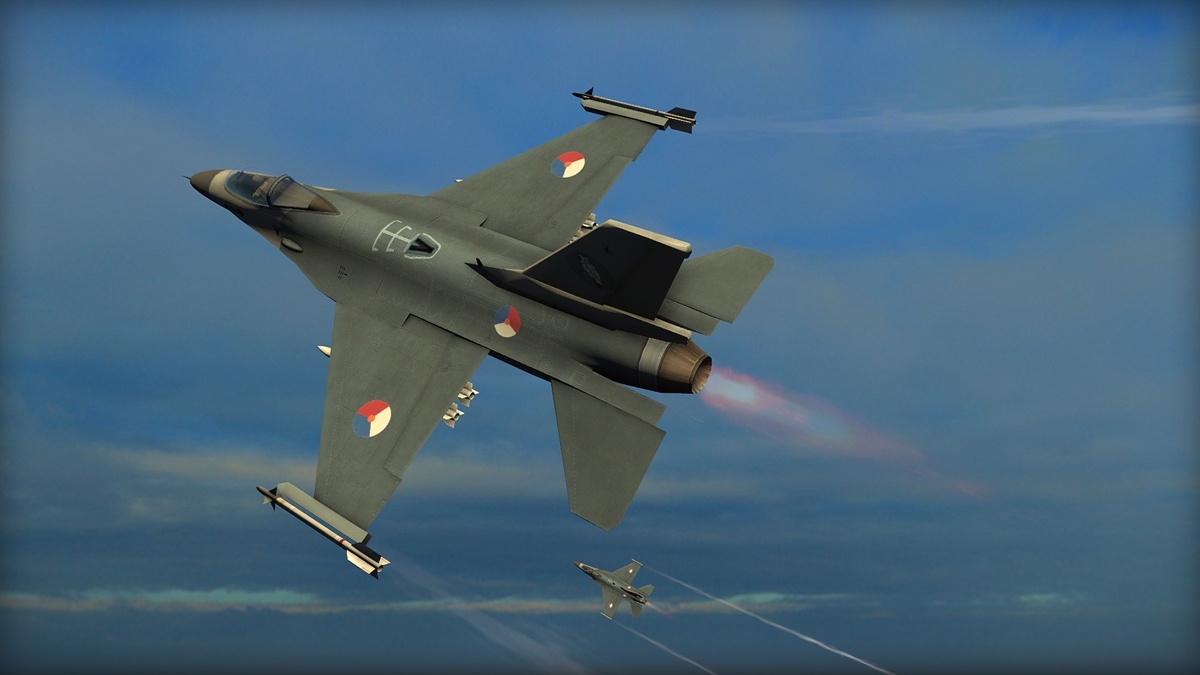
[For clarity, throughout this post, aircraft or A/C refers to any fixed- or rotary-wing body that is the object of movement in the simulation, while *plane* refers to geometric planes in 3D space.]
For a fun project to do in my free time, I decided to write an arcade-style flight simulator in Python. I intended to write it as an easy-to-understand framework supporting both direct control and a quasi “autopilot” mode. Combining these modes mean the same framework could be used for visualising a given flightpath and for more direct control as needed by RTS games.
I’m approaching this project with the idea of making a framework that is easily implemented into games and game engines such as Godot, so rather than simply glueing scraps of code together in a shoddy project, I’m hoping this could eventually be useable (performant) for game developers in particular. Unfortunately, for the degree of flexibility I was targeting, this turned out to be a lot more than a quick weekend project.
Anyway, let’s talk about simulation! More specifically, fixed-wing aircraft simulation. Aircraft simulation is difficult because aircraft are severely constrained in their movement. Lift is only generated when the lift-generating portion of the A/C or airfoil experiences airflow in the correct direction. An aircraft cannot move backwards in the air while climbing under power. An aircraft will need to either pitch up or increase thrust in order to stay level in a turn, as a roll and yaw will decrease its vertical lift component. Every control input will change the net forces acting the A/C, thereby changing the aircraft’s attitude and orientation, which in turn may need to be corrected by other control inputs to keep the aircraft in the intended flightpath. I aim to replicate these aerodynamic features. Otherwise, this would be a purely arcade physics simulator, without any regard to the physics of flight!
I began by defining an Aircraft class as a set of models and rotations tied to a position. The PerformanceModel, for example, captures the aerodynamic characteristics of the aircraft, such as its drag function and maximum net thrust. I added a ConfigModel that holds the payload and fuel weight of the aircraft, which may change dynamically over the flight. An AvionicsModel stored the current position of the main controls: thrust position, pitch deflection, and so on. This way I could create aircraft with various flight characteristics, but apply the same flight controls, and view how their resulting paths differ. It also serves as a logical separation of concerns.
Regarding the simulation, there’s nothing fancy with this for now: For each tick of the simulation, the simulation uses the A/C object’s models to calculate the net forces, which it then uses to place and orient the aircraft. The aircraft then will automatically consume fuel based on its thrust output. Below is the flightpath of one such simulation, which is ostensibly correct and successful…
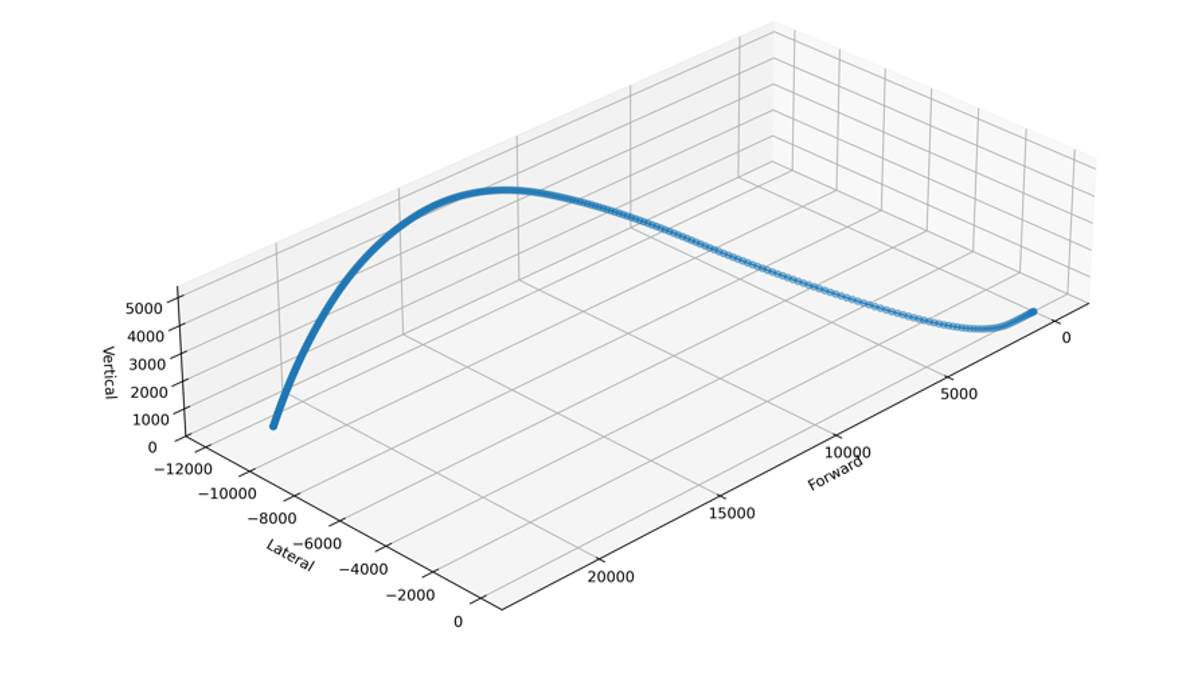
…yet I quickly ran into numerous issues when flying anything more than gentle turns.
Free Rotations
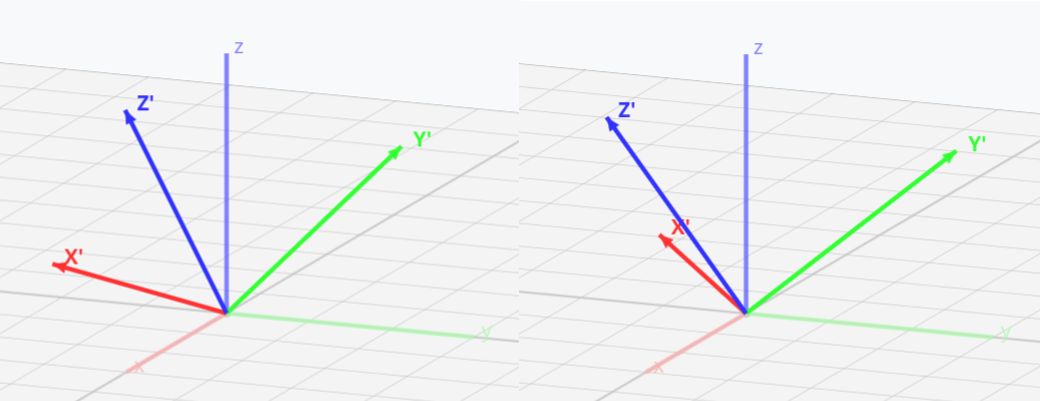
I naively tried to have an aircraft orient itself by tracking and applying rotations independently of one another in each extrinsic axis, based on the control input. This actually suffices for simple movements, either rotations around one axis only, or preset rotations! But I am sure anyone with even a basic understanding of computer graphics is horrified that I even tried implementing something like this, because for free rotations around all three axes, this simply doesn’t work. Try picking up an object and performing a set of rotations, and you’ll quickly notice the order of rotations matters; the simulation cannot rotate aircraft arbitrarily but must always perform the rotations in a fixed order. Moreover these rotations should be clearly specified as to whether they are extrinsic rotations, in global XYZ axes, or intrinsic rotations relative to the XYZ axes of the A/C.
Indicated Airspeed
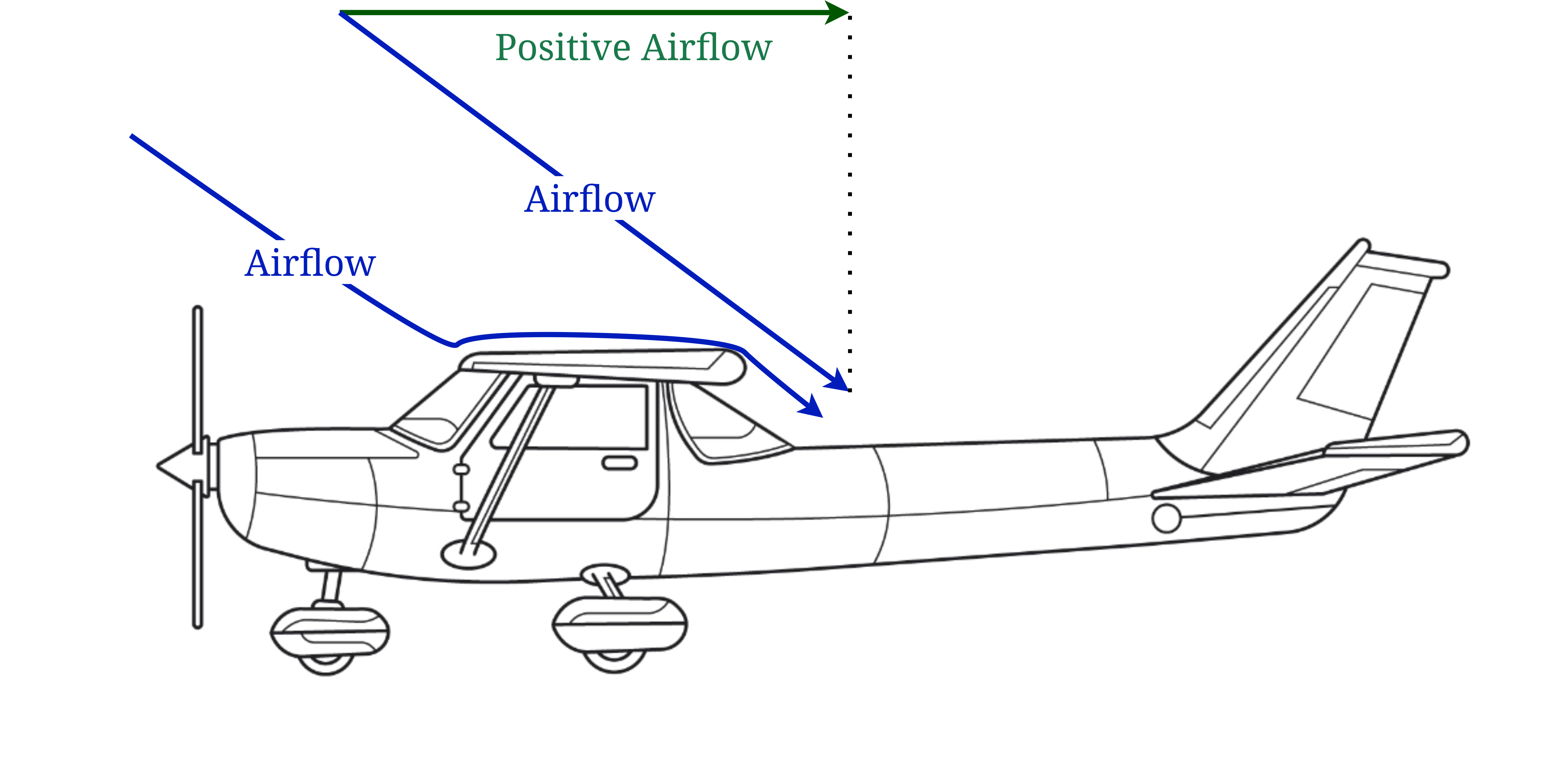
For an arcade simulation, speed can be modelled as directly related to the thrust lever position. At half throttle, the A/C will accelerate up to half of its pre-defined maximum speed. For realistic physics, however, there must be no predefined maximum speed, but rather an experimentally determined maximum. At a given throttle position, the speed of the A/C must be determined by the point where the drag along the A/C’s x-axis is equal to the the gross thrust. An accurate calculate of speed is important because lift is partially based on the positive (front-to-back) airflow over the airfoil. (Lift is painfully more complex than this.)
Lift
The difficulties I am encountering with accurate lift will probably lead to changes in the number of variables tracked by PerformanceModel objects, because a single static lift coefficient cannot capture the realistic qualities of lift. Lift is not solely proportional to speed, as was the case in my first attempt to implement it. Instead, it is dependent on the positive airflow, mentioned above, as well as the angle of attack or AoA, which is the difference in the angle of the airflow and the airfoil. In simpler terms, this is the speed and direction (angle) of the airflow as it meets the wing. I must therefore simplify this by assuming the airflow is along the axis of the aircraft’s net movement between each simulation tick. Airflow speed becomes the component of the movement vector along the A/C x-axis, and the AoA is the angle between the x-axis and the movement vector in the intrinsic XZ plane alone. Airfoils also have a zero-lift axis along which no lift is produced regardless of the speed.
How Do I Implement Synchronous Interactivity?
Or more specifically, how should I implement interactivity in Python? Without interactivity, there is no use for such a simulation in games. The aircraft should be able to fly and respond in real-time to user inputs.
Briefly, I am considering a set of specialized threads. The simulation runs on its own thread. Using shared memory, the simulation will write the output data back to the main thread for processing and visualization. A user input thread writes to a shared buffer with the simulation, which applies the control inputs as it receives them, and constantly writes the output data to shared memory.
I’m having a lot of fun with this project, except that after hours of debugging only to realize my mistakes are in physics calculations and not in my program logic, I’m in no rush…especially since I’m planning to add more features: air density, moments around the A/C centre of gravity, and collision detection.
Related Works
There are no works I have used for this post as I tried to write this simulator from scratch. (Evidently I have a lot of reading to do.)